For coordinators
For transaction coordinators and closing staff
Everything a coordinator needs arrives as a forwarded email chain, and everything they produce disappears into one. ProspectKeeper gives closing coordinators and client care managers their own role on the record — so a file reaches them whole, and the deadlines they are protecting sit on the deal where the whole company can see them.
The file that arrives as a forwarded thread
A deal goes under contract and the coordinator inherits it — by email, usually late, usually incomplete. Somewhere in that thread is the closing date, the parties, the address and three amendments. None of it is structured, so the first hour of every file is spent reconstructing what the agent already knew. Then the coordinator's own work — the chase, the confirmation, the date that moved — goes back out by email, which means the business still cannot answer "what is happening with that closing" without asking a person.
Why ProspectKeeper for this
All of it ships today on ProspectKeeper Connect at $99/month — and the pipeline itself is free to start on, for as long as you like.
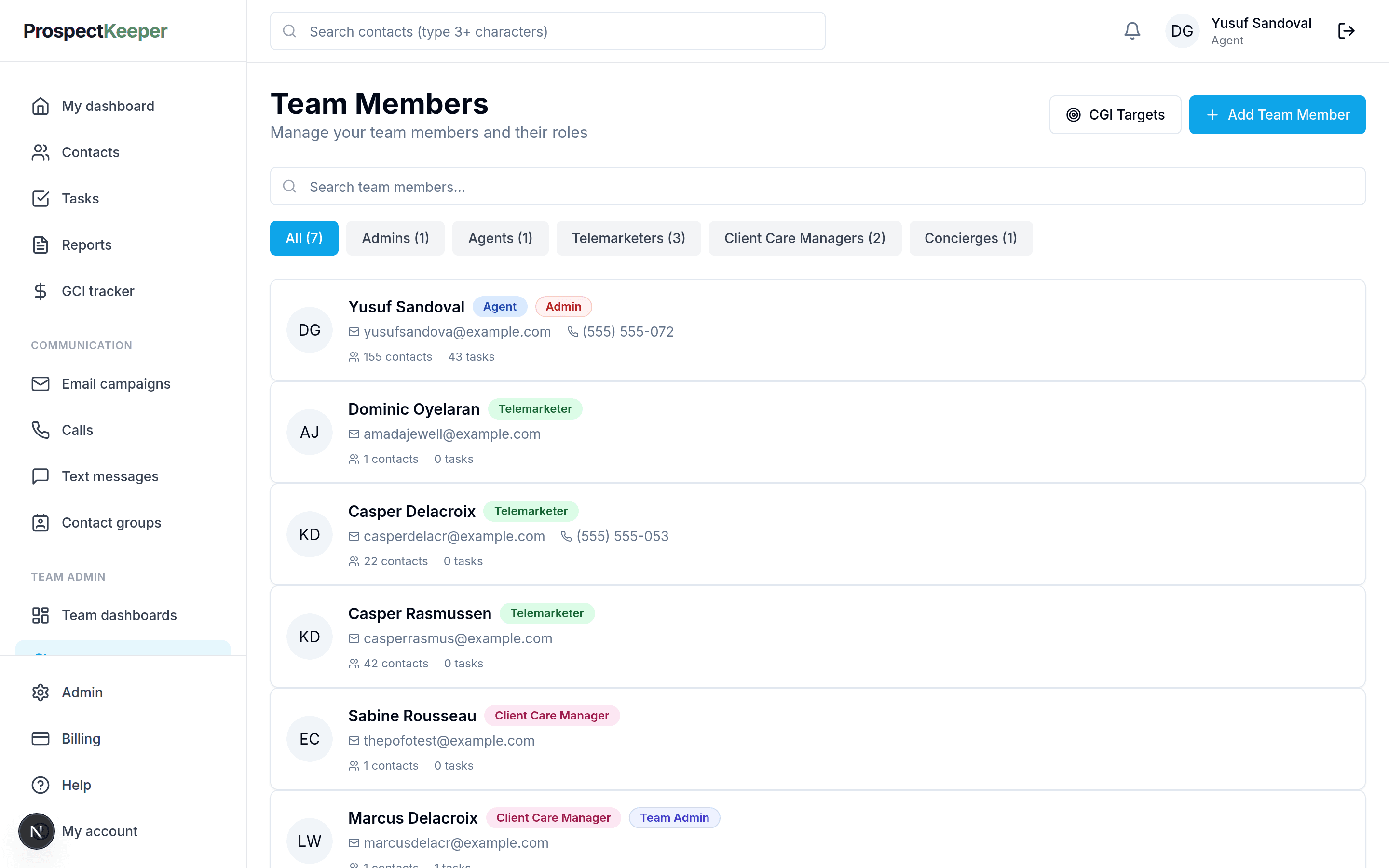
Closing coordinator and client care are real roles
Both are modelled on the record with their own dashboards and assignment defaults, rather than being an agent login with a note attached. What a coordinator is responsible for is a property of the deal, not a convention the team agreed to verbally.
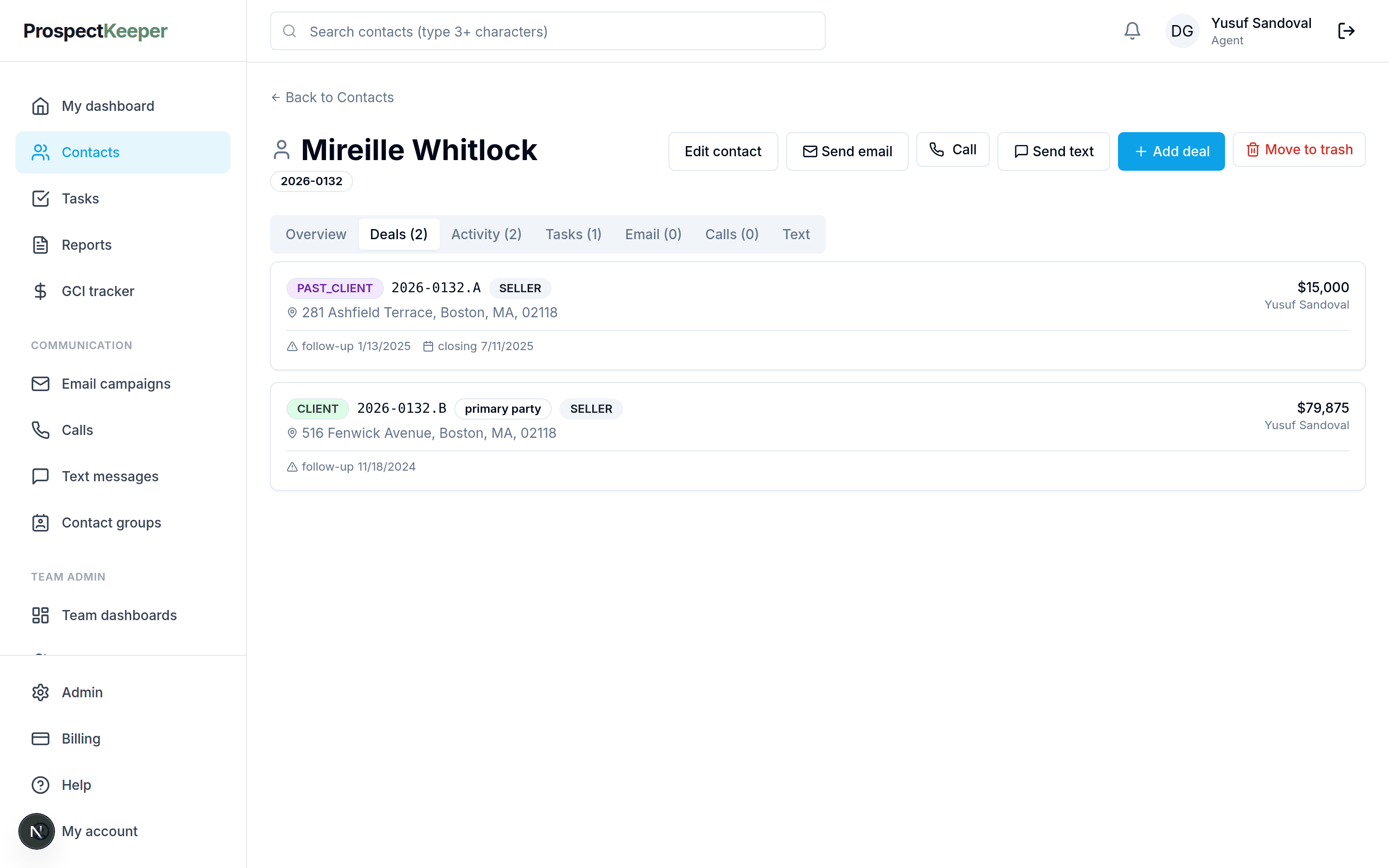
The deal carries its own dates and parties
Closing date, follow-up date, side, address, price and commission are fields on the deal. A coordinator picking up a file reads it rather than reconstructing it, and the same fields are what the reports and the goal tracking run on.
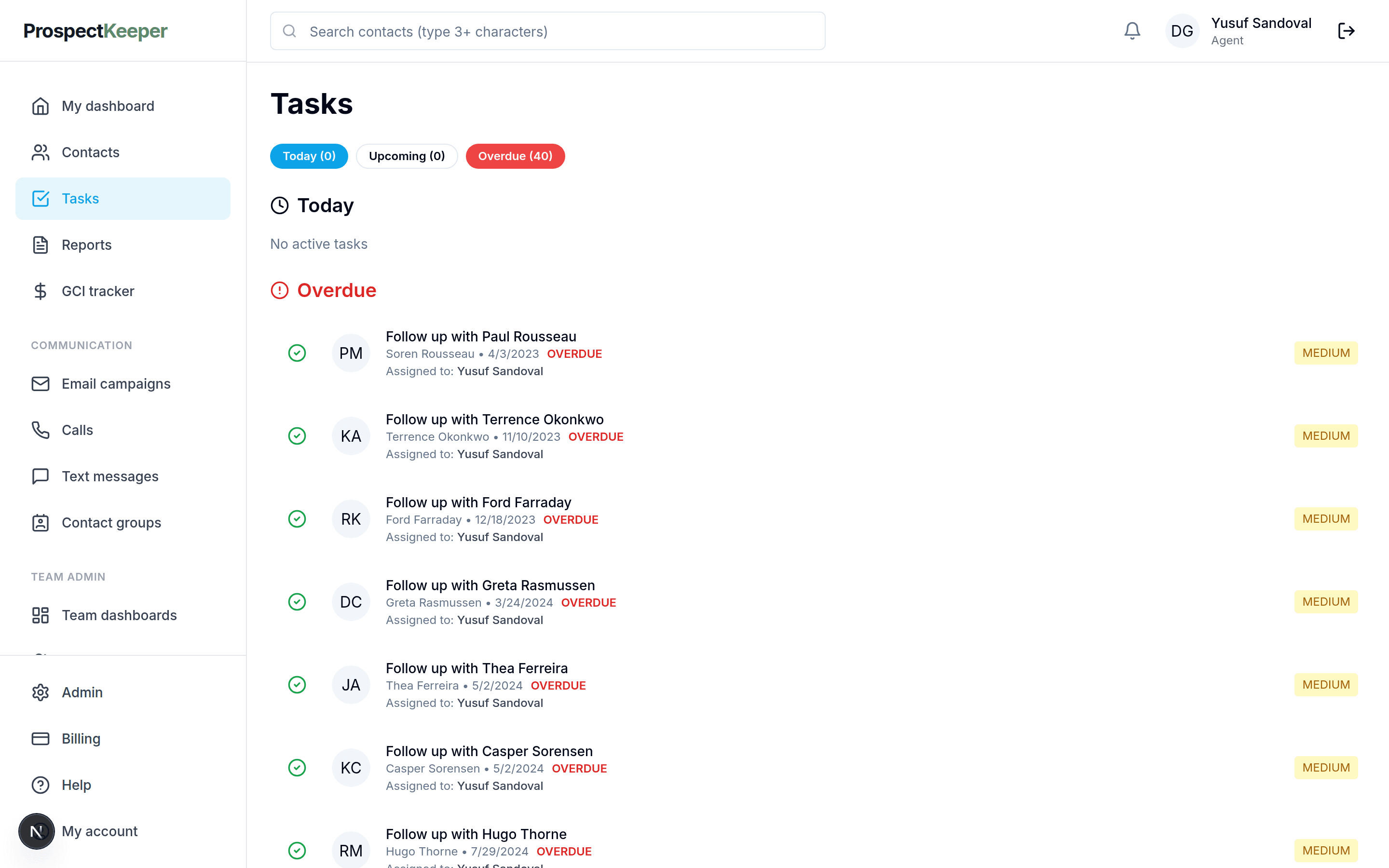
Deadlines surface as work, on the day
Follow-ups appear on the tasks screen — today, upcoming and overdue — each naming its client and the person who owns it. A date that has slipped is visible to the team rather than being something the coordinator is quietly carrying.
Every conversation is already on the file
Calls, texts and emails are filed against the client as they happen, so the coordinator can see what the agent told them on Tuesday without asking. The handover stops depending on somebody's recollection of it.
How it works
From nothing set up to using it on a Tuesday.
Give coordinators their role
Assign closing coordinator or client care on the team roster. The role decides the dashboard they land on and what gets assigned to them by default.
Assign the deal when it goes under contract
The record changes hands with its full history — deal fields, notes, calls, texts and emails — rather than being described in a message.
Work from the coordinator dashboard
What is under contract, what is due, what is overdue. The queue is the job; the inbox stops being the system of record.
Keep the dates on the deal
When a closing date moves, it moves on the deal. Everyone reading that file — agent, client care, the team lead's report — sees the change without being told.
Close it, and hand the client back
Completion moves the client to Past Client with the file intact, so the relationship continues on the person rather than ending with the transaction.
What stops living in an inbox
Coordination is mostly the work of keeping several people agreeing about dates. Almost all of the tooling around it exists because the dates were never written anywhere the whole company could read.
The forwarded email chain
The deal arrives as a record with its fields, history and follow-ups already on it.
The closing-date spreadsheet
Dates live on the deal, so the report and the coordinator cannot disagree.
The status-update request
What is under contract and what is overdue is a dashboard, not a question.
Chasing the agent for context
Calls, texts and emails are already filed against the client.
What it does not do
Worth knowing before you spend a week moving in. A switcher finds these in the first fortnight anyway, and hearing them from us first is cheaper for everyone.
- There is no document storage, e-signature or compliance-checklist workflow — contracts and disclosures live in whatever your brokerage already uses.
- There is no automated transaction template that generates a task list per milestone; follow-ups are dates you set.
- There is no MLS or title-company integration, so status changes are recorded rather than received.
- There is no client-facing portal for buyers and sellers to track their own closing.
- Contacts come in from a spreadsheet, but in-flight transactions are entered in the app rather than imported.
Questions
Is a coordinator a full seat?
Coordinators are team members with their own role, and seats are priced the same whoever holds them. What differs is the dashboard and the default assignments — a closing coordinator lands on the work that is under contract rather than on a prospecting view.
What does a coordinator actually see?
The records assigned to them, with the deal's dates, parties and amounts, plus the full conversation history on the client. The intent is that the first hour of a file is spent working it rather than reconstructing what the agent already knew.
Can it store the contract and the disclosures?
Deal facts live in ProspectKeeper — dates, parties, address, price, commission, and the follow-ups protecting them. Documents themselves stay in whatever your brokerage uses for storage and signature; there is no document vault or e-sign here today.
How does client care differ from closing coordinator?
They are separate roles with separate dashboards, which lets you split the relationship work from the contract-to-close work. Both sit on the same client record, so neither has to ask the other what happened.
What happens to the client after closing?
The client moves to the Past Client stage with the file intact and a follow-up date still on it. The transaction ends; the record does not, which is what makes repeat business possible years later.
Can the team lead see every file at once?
The reports screen totals across the book with filters, a column per role and CSV export, so a lead can see what is under contract and who is carrying it without interrupting anyone for a status update.
Read next
Try it against your own pipeline
Free to start. Set up your company, add your clients and work the list.